Wednesday, May 23, 2007

Scratch!

Here's a very cool program that Doreen and Bruce found from the BBC website:
A free programming tool that allows anyone to create their own animated stories, video games and interactive artworks has been developed.

Primarily aimed at children, Scratch does not require prior knowledge of complex computer languages.

Instead, it uses a simple graphical interface that allows programs to be assembled like building blocks.

The digital toolkit, developed in the US at MIT's Media Lab, allows people to blend images, sound and video.

"Computer programming has been traditionally seen as something that is beyond most people - it's only for a special group with technical expertise and experience," said Professor Mitchel Resnick, one of the researchers at the Lifelong Kindergarten group at MIT.

"We have developed Scratch as a new type of programming language, which is much more accessible." (continues)

This would be a very cool tool for students here since they could make their own animated stories or presentations.

This weekend

Now the fires are red hot for getting sh!t together for our move. By the end of this weekend:
  1. get a shopping cart installed on the server
  2. start photographing items to get rid of
  3. big heater
  4. small heater
  5. toyu tanks and pumps
  6. take fish to Homey Homer
  7. clean out fish tank
Since this is my tech blog, I'm most focussed on the shopping cart now. I've been looking at a couple of options. I don't need a lot so I should just focus on the easiest to install and friendliest to navigate.
  • Commerce.CGI - the first script I looked at; offers free scripts for basic installation and a one-time paid membership to access add-ons
  • Shop-script - a pretty slick looking system that features three different tiers of functionality for quite a price increase; clear features description available
  • AgoraCart.com - an open source option; also features paid membership upgrade but it's unclear what the features differences are
We'll need to get our stuff ready for the shopping cart as well.
  • photograph everything from a couple of different angles
  • measurements
  • price
  • description
  • date of availability
The only information we'll need is a name since we'll be collecting cash for everything.

Thursday, May 17, 2007

Video for iPod - a surprising omission

I'm surprised that I didn't post about this earlier. I've been using a different website than one I had posted about previously to convert videos from YouTube for the iPod. I'm sure there are faster options, but I wonder if they'll be any easier. I'd like to avoid downloading five or six candidates in search of a good option, so Media Convert is an excellent choice for me right now.

A six minute FLV video will take about 36 minutes to convert to a H.264 640 x 480 video and download.

Wednesday, May 16, 2007

The Network

We're starting to get quite a collection. I've been trying to keep track of it all, so here's a run-down of the hardware
  • MacBook
    • Partition 1 - Intel OSX Tiger
    • Partition 2 - Boot Camp - Windows XP
  • PowerBook
    • PPC OSX Tiger Server
    • External 250 GB
      • Personal Files
      • Mac installers
      • iTunes & iPhoto libraries
      • Bittorrents
  • Armada
    • Windows XP
    • External 65 GB
      • Windows installers
      • Cued videos
  • Peripherals
    • Canon i70 portable inkjet printer
    • Epson flatbed scanner
    • iPod FW 3G 40 GB - 2 partitions
      • TechTools Protogo Universal profile
        • TechTool
        • DiskRescue II
        • DiskStudio
        • DiskWarrior
        • iDefrag
    • External 120 GB
      • clone of 250 GB HD sans Bittorrent documents
    • External 80 GB USB
      • iTunes & iPhoto backup libraries
      • essential documents backups
    • LaCie RAID 1 external enclosure (wishlist)
      • for secure storage of personal documents and media files; I'm tired about worrying whether my drives will fry in the heat, I'm only buying HD enclosures with built-in fans (and FireWire/USB connectivity) from now on
    • UPS (wishlist)
      • for the eventual PowerMac-fileserver
  • PowerMac (TBA)
    • eventual server with external 250 and 120 HD's installed
    • upgrade with hardware RAID 1

Tuesday, May 15, 2007

Updating the iTunes library

Hyunjoo and I are doing the big clean, in part for our departure this summer. We just started going through our CD's and have plans to give a lot of them away.
  1. I went through and removed all the duplicates
  2. imported Hyunjoo's library
  3. began ripping the last of our CD's that we didn't already have in iTunes
  4. I'll have to next make a back-up of all our music, and other files for that matter, just in case something happens in transit from Japan
I had some initial problems with step two. Hyunjoo had 750 songs to add, but iTunes was only adding 260 of them. I soon realized that iTunes was automatically ignoring songs it already had in the library. After that step I finally deleted her library and we only have our one consolidated library from here on out.

Just in case...

I hope I never have to, but here's some information on replacing an iPod's HD if I ever need to.

Micromat Protogo

This software kicks ass, and I haven't even got it configured properly yet. This software lets me turn my FW 3G iPod, or any other external drive for that fact, into a mobile tool box for any Mac (OS 9, PPC, Intel).

I had problems with the profiles at first, but then realized that...
The Universal profile gets its system software from a disk image licensed to us by Apple that is usually used to make bootable DVDs. This disk image can create an installation of Mac OS X that is capable of booting both PowerPC and Intel-based models. This disk image does not contain a Finder, and nobody is authorized by Apple to add one. Therefore, there will not be a Universal Protogo profile with a Finder, unless Apple changes its bootable DVDs.
I can't turn off my iPod right now and will have to reinitialize the iPod and begin again this evening, but at least I have a better idea of what I need to do after reading posts from Micromat's forum. First off, I'll have to look for something in the preferences that allows me to select an option to keep the iPod's music-playing functionality.

I'm interested in adding my own utilities as well like DiskWarrior and iDefrag but there might be some limitations
Keep in mind that the Universal profile has no Finder and Disk Warrior will not work with its system software. As long as you use a profile that is specific to the PowerPC or Intel platform, you should have no trouble using any third-party programs.
I'll give it another go in any case.

Update - I've got the iPod up and running with Protogo, after I read the directions that I can only choose a profile with one partition if I want to maintain music playback capabilities. Amazing what stuff you can learn by reading warning dialogs. I set it up with additional utilities, but a couple of them need serial numbers to run. DiskRescue II and Serial Box doesn't run right now, but that will have to wait.

Firewire bridges are not built alike

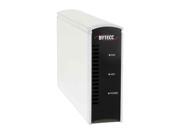
I've been juggling around external HD cases to address overheating problems with my drives and now I've had to resort to juggling again for a different reason: my newer Buffalo enclosure doesn't support "powered Firewire pass-thru", for lack of a better term.

Until last night my set up was:
PowerBook > external LaCie DVD > external Buffalo enclosure

This set up was fine when all I needed to do was hook up another HD, like my MacBook in Disk Mode, and all was good. But when I plugged my 3G iPod into the FW port, it wouldn't charge. Apparently it had something to do with the fact that the Buffalo drive only has one 6-pin connector. The other is a non-powered 4-pin port. The missing 2-pins in the chain breaks the power connection even when all of the drives in between are AC powered!

So I switched my 250HD from the Buffalo enclosure to my OWC enclosure, again, and am running it with the case cracked open to let it ventilate. I hope it doesn't over-heat in this configuration. What a pain in the ass!

How to make a triple-boot service drive

I found this post via a link from the Micromat forum. I'll have to give this a whirl with my "extra" 120 GB drive.
I work at a school in the morning, supporting about 200 computers, mostly mac. The coming of the intel means more work for me, because now I have to be able to support the intel platform in addition to the powerpc platform.

During the summer we create "base images" - default hard drive images that we can quickly deploy ("image") to workstations that are having problems. The users have their homes on the network so we can blow away their hard drive without too much disruption. (aside from installing scanner and special printer drivers anyway)

I can normally image any machine with a firewire port. (we are desperately trying to phase out the tray load imacs!) I can image TO any computer I need to via firewire, but this requires another machine such as my laptop or another mac. I can image from any machine to any machine but the requirement of another free machine is inconvenient.

I have been using a little 80gb 2.5" firewire drive for imaging so far. This drive not only has the base images on it, but it is a bootable 10.4 OS as well. So I can boot the machine to be imaged off my service drive, and image it, all with only the handheld drive and a firewire cable. (isight cables fit nicely in your pocket! Get one from your Apple store, they work fine for HDs, no data corruption as I had initially watched for)

Now enter Intel. My service drive won't boot off that. If I format it GUID and install intel tiger, then I can't boot any of the older machines. We have about 200 ppc macs right now and we just got in 14 macbooks and a pro, with more imacs to come I'm sure. So I need to find a way to make this drive boot both platforms. It's either that or get another drive, and I hate to lug any more gear around than I am already carrying.

After much googling and finding a surprising amount of untested and inaccurate information, I have completed my mission and thought I'd share the CORRECT how-to of making a dual (and in this case, triple) booting drive.

First off. GUID. No. Just don't. It won't work. I know, they all say that's how it has to be done to boot intel but they're wrong. Yes, the installer won't install to APS (Apple Partition Scheme) but that's how we have to do it anyway. The reason is that there is NO way to boot from a GUID partition on any but the very newest G4 and G5 macs. This is because only the newest machines with the latest firmware can read GUID. A GUID partitioned hard drive cannot boot from an older mac, end of story. In case you're thinking "can't we have both?", no you can't. The partition scheme is the way the partitions are described by the disk drive. Just as there is only one table of contents in a book, there is only one partition table on a hard drive. There is no way to hybridize the table so that it is legal in both GUID and APS, so you have to pick one or the other. Since we know that you cannot boot from a GUID drive on most of the PPC macs, that's out.

So APS it is. Reformat your service drive as apple partition scheme, this is the default. Plan carefully when you set up the partitions, as this is very difficult to change your mind on later. If you have a larger drive this is easier because you are not so tight on space. Here I set up an 80 thusly:

Service Classic - 1.5gb
Service PPC - 6.0 gb
Service Intel - 8.0 gb
Service Users - 6.0 gb
Service Data - 59 gb (the rest of the space)

Yes, classic is there. I intend to boot up the drive as 9 as well. Not because I need it, but because it may come in handy and 1.5gb is not a lot to waste. And because "triple boot" sounds cooler than "dual boot".

I set the size of the PPC, Intel, and Users partitions to have about 2 gb of space left on them when I was done. This is playing it a little cagey, but this is only an 80gb HD and I have about 35gb of base images to fit onto the remaining data volume so I can't squander my space.

First is classic. Drag and drop from an existing machine. Very easy. After you drop, you will want to check and see what you don't need, and delete it to save space. All you really need is System Folder and Applications (Mac OS 9). Though since this is its own partition you won't be adding to usable space elsewhere but I like to keep a clean drive. After you are through cleaning it up, and while still attached to the OS 9 containing mac, select the Classic volume as your startup, and then select back to your normal boot drive. This "blesses" the classic installation and will make it be able to appear in the boot-picker when you hold Alt at startup. This requires a machine that can boot OS 9. You can bless classic from a machine that cannot boot it, but it requires some terminal magic that I can't recall offhand. ("man bless")

Next is PPC. Just grab your tiger installer and go to town. Run updates. Create a user account that is somewhat generic, you'll see why in a bit. Pick a single word short name for simplicity sake. (see further down for suggestions) I'll assume it is blessed since you installed it and ran software updates. You can also use "ditto" in terminal or netrestore to clone from an existing installation. More importantly now, remove anything you don't need. Space is tighter here and OS X is less forgiving of low disk space than classic ever was. Try to have at least 1gb of free space, 2 is better.

OK now the fun one. As stated earlier you cannot run the intel installer. If you select this drive in the installer, it will say "you cannot install Mac OS on this volume. You cannot start up from this hard drive". it's lying! Unfortunately it's a pain to force the issue. So install it onto a GUID formatted volume, or find another one that's already installed. Now hack it down to a manageable size, try to get it to 5gb of used disk space. Then use Disk Utility and do a "new disk image from disk0sxx" and make a disk image of the intel drive. Save the image somewhere else of course. (maybe on the Data partition if you made one?) Then use disk utility to restore the disk image to the intel partition you made. Again you will need to select the intel volume as your startup once to "bless" it so it shows up in the boot picker. It's interesting that they will allow you to restore to it but not to install to it. It would be a good idea for you to use the short name that is the primary admin account on the installed intel drive above where you created the account for the PPC side. If these names are the same the next step is easier. Intel's binaries are about 30% larger than their PPC counterparts, so this tiger will take up more space than the PPC version, which is why I allocated 2gb more space for the Intel tiger partition.

OK almost done! You should now be able to boot the HD on all three volumes, on the appropriate macs of course. Test them all to make sure they are working fine. Make a folder on your Users volume, call it.. Users! Make sure permissions is enabled on this volume and both of the tiger volumes. Drag and drop your home folder into Users. No I have not lost my mind.

OK, open Netinfo Manager and authenticate. Now find Users, and find your user. Find Home folder. It might be:

/Users/JoeMac

Change it to

/Volumes/Users/Users/JoeMac (mine is more like "/Volumes/Service Users/Users/JoeMac")

"Users" is the name of the volume that you made the Users folder on. Include spaces, this is not terminal and spaces/symbols should NOT be escaped if you have them in the username or volume name. Type them as they are.

Now restart local netinfo domains with NetInfo Manager. Now logout, and log back in again. Go... Home. Your home and house icon should now be in the Users folder you made. Congrats, you just moved your home folder! Feel free to blow away the home on your tiger volume, you don't need it anymore and it's just eating up space.

Now on a mac of the other architecture, repeat the maneuver of moving the home folder. (no need to copy it, skip that step) This time when you log out and back in again, you will see the exact same home folder you had on the other platform. The two are now sharing the one home folder. Changes made on one architecture will occur for the other as well. PPC apps installed under the PPC boot will work fine (via rosetta) when you are booted Intel.

There. You now have a triple booting service drive with shared home folder. Note that if you create another account you will have to create it on the other side and move both of them as well - we did not change the default home location, only the location of that one user's home. If you are using the drive to image, this would be a good time to load up the Data partition with your base images and get NetRestore installed. (only once! works for both!) I have not tried netrestore on the Intel side but I expect it will work, though it may run slower. I haven't ran across an Intel-native netrestore yet.

You might want to adjust permissions etc on the folders at the root of the users folder you copied, since just being dragged they didn't maintain the special permissions of the files at the root of your users folder. If this is just your personal service drive though I doubt this matters much.

Followup note. When installing applications to the shared user folder, you would be advised to check them and see if they work ok on both architectures. Installers for applications like Stuffit Expander will check your machine architecture when you install, and will not install universal binaries. They will instead install the binary for the architecture that you are running on now. If that is PPC, then not so bad, it will work in rosetta. But if you are booted to Intel when running the installer, you may get an Intel-only binary that you cannot run when booted to PPC. You can use finder and get info on an application to see which architecture(s) it will run under.

Get info on AddressBook on my powerbook: "Application (PowerPC)"

Get info on AddressBook on my intel partition: "Application (Universal)"

Get info on Stuffit Expander: "Application (Intel)" (iirc)

The Intel ones are the only ones you really need to worry about for now I think. They will not work on PPC and should have a slash through their icon in the finder, same as the classic apps do on an intel machine.

Monday, May 14, 2007

Bootcamp, again

One of the first things I did when I got my MacBook last year was to install Bootcamp and test out my new "Winbox". It worked great, but I have to admit that after I tried out Parallels, I got lazy and stopped using Bootcamp.

Parallels made the most sense for using Windows MS Office, MS Messenger, and various other Windows-only software packages. It ran relatively fast and was easy to boot. I was a full Parallels convert.

Previous to Parallels I was basically using Bootcamp to run a StarWars RPG. It was a great game, but after I finished it I didn't really have an interest in running through the whole story again. I don't often play games and when I play them I rarely "complete" them. I most often play RPG's and Gran Turismo.

So, I basically stopped using Bootcamp. I even went through the process of removing the Bootcamp partition. That was a pain in the ass of its own magnitude - for reasons I've forgotten. Of course once I ditched the partition, I realized that I wanted to run Bootcamp again.

This time I want to try and get RealFlight up and running. I don't have an RC controller yet, but perhaps if I buy a cheap 4-channel model I can practice before I get a real plane. I can sort of test the waters and see if it's something I wanna try out.

I still have to check whether the GMA950 video chipset in the MacBook can handle the graphics. I'm holding my breath.

Friday, May 11, 2007

Rikaichan

Doreen found this fantastic add-on for Firefox called Rikaichan. It's a multi-lingual translator for Japanese. It reads kanji text and provides dictionary-like information via pop-up windows. It even includes the furigana - or phonetical readings for kanji combinations.

Wednesday, April 18, 2007

Private eyes, please!

I had to find a way to hide my tracks since my the computer on my desk faces the entire office, I need to have a way to keep what I'm doing private. It's not that I shouldn't be doing certain things at work. I'm not looking at porn or surfing the internet all day long, it's just that I need some privacy at times. For instance, I was reading about the shootings at Virginia Tech this morning before school and my boss came by and read what I was looking at over my shoulder and made a comment about it. I didn't make me feel very comfortable. I know in America things are different. Bosses can literally log all activities, no problem.
Get it from CNET Download.com!

Friday, April 06, 2007

Installing the color network printer

This is how I installed the printer for KTC's English office on Sheryl's laptop.
  1. create a printing port (Printers and Faxes > Files > Server Properties > Ports tab > Add Port... Standard TCP/IP port)
  2. install the printer via "install local printer attached to this computer"
  3. Have disk... navigate to the KTC Teachers folder on "shared" and look for the printer's file (L:\8. KTC Teachers\Software and Drivers\Color Printer Driver cx8800\english\Disk1)
  4. select the CX8800 profile

Sunday, March 25, 2007

Back to the US: Media controller?

I've gotta start thinking about what we're gonna do about a media controller once we've settled in the states. I already have a projector, so we're covered for wide screen movies for the time being. We'll need something for everyday viewing and I'm thinking that'll be an iMac 24" with an Elgato DVR attached to it. Can we keep it in the living room for everyday use? I dunno. It won't be cheap either.

Monday, March 12, 2007

MarsEdit

Found an article on a really cool new product that brings blogging in-house. I'll have to check this later during my vacation to see if I can install it on my server and get it up and running as an experiment. I'm pretty happy with blogger.com and I haven't even used OSX Server's blogging capabilities at all.

Sunday, March 11, 2007

ScreenRecycler

These guys are making software that will allow you to use another computer's monitor (via networking) as an extension of your own computer. Great concept. Will be useful with two laptops. Nice graphics guys. Looks like a six-year old drew your "recycle" logo.

Monday, March 05, 2007

More hard drive woes

Well. I've been juggling around my hard drives again. My older OWC Firewire drive has been making some loud noises. I thought it was the fan in the enclosure, but then I realized the 120GB drive doesn't have a fan! I don't even remember what year I bought the drive. It's definitely older than 5 years and I've been running it 24-7 over the last year and a half if not more. I lost it once during a power outtage here in Japan, but I was able to rebuild it...

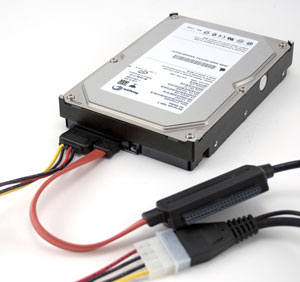
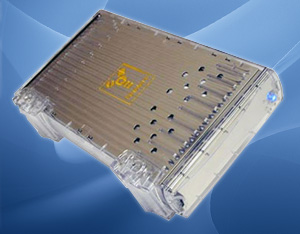
I bought a 250GB drive here in Japan, but have had my own set of problems with that Buffalo enclosure. It would run way too hot and the drive would shut down. It wasn't any good for backing up my files to since it would automatically unmount during intensive drive activity.

So, I've taken the OWC drive off line, cracked the Buffalo case and now the drive enclosure running naked, but more reliably. I've begun to consolidate the OWC drive and a portable 80GB USB drive to the Buffalo drive and should be able to use that for my file storage. I'm left without a backup solution for my critical files, but I've done that before. It's not ideal, but I can't spend the money on another drive or enclosure that will only run on 100V.

What I really need is a MacPro! Then I could throw in all my drives into one happy place. Until then, I'll reclaim my old G4 PowerMac and get that thing running with Tiger Server when I return to the states.

I could also buy an enclosure back in the states for less than $50 from newegg.com. I would need Firewire and USB connections along with an internal fan. I'd hate to have heating problems again.

Juggling harddrives again

Well, I can't trust my OWC firewire drive anymore. It's a 120GB in an external enclosure I bought a while ago, I have no idea when. Recently it started to sound pretty loud, so I thought the enclosure's fan was cranking away, only to realize that it doesn't have a fan! The noise was the HD spinning up. Enough is enough!
I used to use it as network storage for all of our important files, so I move all that over to my Buffalo 250 HD. That drive had problems of it's own: over heating. It wasn't until I cracked the case open on that drive that it has begun to work reliably. It took me a while to figure that out as you can see.
Moral of the story... only buy enclosures with fan units on them.

Friday, March 02, 2007

Schwinn 2007 Campus Electric Bike

Dubhgan would probably get a real kick outta this. We had been talking about ebikes just after he arrived since he was getting a little tired of making a long commute from his house to his Japanese lessons every weekend. I don't know how many kilometers it is but it probably takes him about 35 minutes to bike each way in urban conditions.

Most of the systems around here use sealed lead acid batteries and cost in excess of US$1000. We looked at a few bikes made in the US and they were pretty pricey too, especially including the shipping.
This Schwinn might not offer a better solution, but it still looks like a cool bike. Interesting new battery technology and drive train. I actually can't tell how the electronic drive train works. Most ebikes have an obvious connection linkage with the manual drive train, but there's nothing to see from the photos on Schwinn's website.