Showing posts with label network. Show all posts

Monday, March 29, 2010

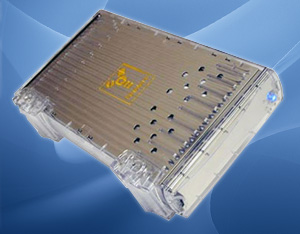
AirStash: Wireless Flash Drive + Media Server

AirStash stores your movies, music, photos, and documents and wirelessly shares them with your phone, media player, netbook, tablet, computer, and more. Use AirStash like a USB flash drive to drag & drop the files you want to your SD card while charging the built-in lithium polymer battery, then unplug & play on all of your browser-enabled WiFi devices*.
If you know how to use a USB drive and a web browser, you know how to use AirStash. Once you own AirStash, every other USB flash drive will seem less evolved. (continues)

Wednesday, September 30, 2009

GE Skype Phone went down

In general the Skype phone is awesome. We save a lot of money using our Skype phone. I'm not sure we needed to buy two additional handsets, but they're nice to have now that we do have them.

Well they phones work like 98-99% of the time. Sometimes, however the phones get de-registered and it has to do with the phone-router.

This last time was the worst set back we had. Eventually I figured out that the phone-router wasn't getting an IP address from the DHCP server on the wireless router. Basically I shut everything down that connects to the wireless router and then get the phone-router setup first. When the phone-router is working fine, it's easy to register all of the handsets. In fact, it's so easy that I forgot what the actual process was except for following the handset's directions. I didn't even need to do long resets on the phone-router.

I found some interesting information that led me to this solution from:
http://tinyurl.com/y8exmyz

Monday, January 19, 2009

Netflix

It's unexpectedly awesome in the first two days of trying it out. After spending over $10 for movie rentals at Blockbuster, I realized that we might be able to do better using Netflix.

I chose the cheapest unlimited account for around $9 a month. The real plus is that we can view movies almost instantly using our TiVo. I decided not to add the Blu-Ray feature even though we can watch Blu-Ray discs on my new Playstation 3.

We rented Hancock on Blu-Ray and even though it looked great, it wasn't a huge difference than watching a DVD up-scaled for HD. At least not for another buck a month. Talk about a cheapskate!

Signing up for the service only took a couple of minutes and it was only another minute or so to link our TiVo to the service.

I went on the computer and created a couple of queues for DVD's and for instant viewing. We're still waiting on our first movie, but we watched Eternal Sunshine of the Spotless Mind as our first on-demand flick. The quality was very good. I'll be curious to see how good action flicks look.

I've installed one Netflix app on my iPhone and activated the feature in another and between the two I can search, add movies to our queue, reorder the queue and other functions... all from the iPhone. Kickass.

I can already tell this is going to have a huge effect on our movie watching habits.

Friday, September 26, 2008

Sending video to my Tivo

Hyunjoo and I need to catch up on episodes of Heroes, but I am getting sick of having to plug my laptop into the back of out Samsung HDTV to watch things. I don't want to have to buy a "network media player"... I don't have the cash.

Thankfully there are others whom have asked and have answers to my very same question:

Tuesday, September 23, 2008

VNC Servers and Clients

This particular post is primarily focussed on Windows options, however I can't help but mention Mac ones as well since there will almost always be a Mac involved in the equation if I have anything to say about it.

Windows
Mac
  • just use Screen Sharing
  • useful hints for using Screen Sharing

Wednesday, September 10, 2008

Tuesday, September 02, 2008

PSU@UP VPN config


I have to admit that I'm not exactly sure why I need a VPN, but I think it has something to do with UP's new wireless security here at the Outreach Building. I have the notion that we're just catching up with other networks on main campus.

I had some problems connecting initially. I realized that I was having troubles since I didn't have WiFi active. Once that was on and I was connected to "pennstate", everything went well.

Thursday, August 28, 2008

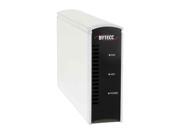
Buffalo LinkStation Live

I've been trying to solve this problem of how I can share all our documents, music, photos, installers, etc. across our network and when I'm at the office.

Previously, I had to use my MacBook as a file server. Given it's relatively small drive, I had to hook up my two external hard drives to it directly. It ceased to be portable. I couldn't use my G4 PowerMac or PowerBook, so that left me with my MacBook.
I took the plunge for a NAS last week and it's up and running. It looks like a great system that can serve up our files and provide backup options if I hook up an external drive to it.

My biggest problem right now is getting our files on to it. I've got over 350GB of files and transferring them via ethernet is going to take a while. If it were only that, I could wait. In fact, we'd probably be finished now. The real problem is that my Mac isn't copying all of the files. I'll leave it and then return to find that the copying process has halted and I don't really know what has and what hasn't been copied.

I should probably write the MacCast and find out what they have to say, because this is really frustrating.

Friday, December 21, 2007

How Mac & PC can Share an iTunes Network Library

I thought I had started another post on this... I'm trying to find a way to share one iTunes 7.5 library, stored on a network drive, between my 10.5 Mac and her XP-PC. I want both of us to be able to play, add, and trash songs and video - it doesn't have to be simultaneously.

When you start up iTunes on a PC holding the "Shift" button down, it will ask you if you want to "Choose a Library..." or to create a new one. When you choose a library, the app looks for an ".itl" file. When I navigated to the network drive, it listed all of the directories, but no library file was apparent.

My Mac generated iTunes library file has no extension on it. Just for kicks, I added an ".itl" extension to the Mac file and it asked me if I really wanted to do it. I said yes and then I tried launching iTunes on the PC again.

This time it loaded the library up with out a problem. Then, iTunes began updating the library since I had just installed the newest version of 7.5 on the PC.

Now, my fear is that I won't be able to access the library file on the Mac. It's just a waiting game now.

UPDATE: It seems to work fine. I might not have even needed to add the ".itl" extension, but it doesn't seem to negatively effect the Mac version.

Monday, August 13, 2007

Future network setup

Once we get jobs and find a place to settle down, I'll finally get to set up our network. It'll take a while to get "everyone" together, but I'll have to think of how I'll assign everything.
  1. PowerMac G4 w/ 10.3? - I dunno if I'll even be able to take this one back. Mom-folks have been using it for sometime now and they might be reluctant to letting it go, but I could persuade Dad to getting them a new iMac of their very own. Unfortunately I don't really remember what it's got under-the-hood. I'd like to incorporate it into a file server with a bunch of HD's in it. It'd be nice to get over a tetrabyte of storage finally.
  2. PowerBook G4 w/ 10.4 Server - I'll probably keep this one running as the main server until I can figure out what to do with the PowerMac G4. Eventually this might just function as a backup mail server.
  3. iMac w/ 10.4 & Windows XP - We haven't even bought this computer yet. It'll be Hyunjoo's main computer, running both OS's. We'll probably use it for watching videos directly and hopefully I'll be able to load up some cool games on it.
  4. MacBook w/ 10.4 & Windows XP - something that I'll probably use as my main computer and something to play movies for Movie Night.
  5. Compaq Armada M300 w/ Windows XP - I'll probably turn this in to a guest computer or an emailing station.
  6. Linksys - I'll keep this router to handle our Ethernet and wireless networking.

Tuesday, May 29, 2007

Network update

Server anomaly
I had a strange problem emerge this past weekend where my server couldn't connect to the web via Firefox. I couldn't even use Server Admin to connect to the server. I restarted a bunch of times and even precariously used changeip to try changing the IP address of the server, stupid in hind sight. I ended up changing the DNS servers to ones that were listed from my router and changed the server listing from Server Admin to its IP address. Whatever I did, it worked. I don't like the powerlessness of not knowing where to look for solutions. I don't know how to read the logs beyond a superficial level, so I don't really know where to go to fix the problems.

WPA TKIP
I don't know why I didn't do this earlier, but I changed my router from WEP encryption to 120 bit WPA TKIP encryption. I wasn't able to enter in my 503? bit passkey, so I had to choose a 20-digit key instead. I'll limit the MAC addresses next ensure that no one will be able to access my IP address.

FTP admin
I just tried to access my net2ftp admin page and was twarted by the login. I have no idea what the password is! I'll have to change that this evening.

eDrive
I installed a TechTools eDrive on my PowerBook so I don't have to rely on my newly created iPod "toolbox" for maintenance. I had troubles installing iDefrag though since I wasn't able to resolve permissions on the eDrive to allow the license key to be copied into the /Library/Application Support folder.

Buffalo 80GB Protogo Drive
Since I made an eDrive for my PowerBook, I thought I'd do the same for my MacBook. Well technically I can't make an eDrive since I have Bootcamp installed, but I have a Buffalo external USB 2.0 drive that wasn't doing anything, so it's now a portable Intel-only toolbox with lots of storage space on it (about 73 GB).

Freenet

Dubhgan forwarded some interesting information to me regarding an alternative network service based on anonymity. I believe the concept and technology is called Freenet, though there maybe alternative nets under different monikers.

I haven't had a chance to watch this video, but he said they discuss some of the fundamentals behind the recent build.


I doubt I'll try it out since I have little beyond financial documents that are worth encrypting or keeping secured. It forces one to deal with the concept of free speech. Along with the good comes the bad. I don't know how I feel about giving folks with dark intentions ways of maintaining their crafts. I suppose I have to support it to the limit that I would support the freedom of speech or any other freedoms granted to us through our Constitution and Bill of Rights.

Wednesday, May 16, 2007

The Network

We're starting to get quite a collection. I've been trying to keep track of it all, so here's a run-down of the hardware
  • MacBook
    • Partition 1 - Intel OSX Tiger
    • Partition 2 - Boot Camp - Windows XP
  • PowerBook
    • PPC OSX Tiger Server
    • External 250 GB
      • Personal Files
      • Mac installers
      • iTunes & iPhoto libraries
      • Bittorrents
  • Armada
    • Windows XP
    • External 65 GB
      • Windows installers
      • Cued videos
  • Peripherals
    • Canon i70 portable inkjet printer
    • Epson flatbed scanner
    • iPod FW 3G 40 GB - 2 partitions
      • TechTools Protogo Universal profile
        • TechTool
        • DiskRescue II
        • DiskStudio
        • DiskWarrior
        • iDefrag
    • External 120 GB
      • clone of 250 GB HD sans Bittorrent documents
    • External 80 GB USB
      • iTunes & iPhoto backup libraries
      • essential documents backups
    • LaCie RAID 1 external enclosure (wishlist)
      • for secure storage of personal documents and media files; I'm tired about worrying whether my drives will fry in the heat, I'm only buying HD enclosures with built-in fans (and FireWire/USB connectivity) from now on
    • UPS (wishlist)
      • for the eventual PowerMac-fileserver
  • PowerMac (TBA)
    • eventual server with external 250 and 120 HD's installed
    • upgrade with hardware RAID 1

Friday, April 06, 2007

Installing the color network printer

This is how I installed the printer for KTC's English office on Sheryl's laptop.
  1. create a printing port (Printers and Faxes > Files > Server Properties > Ports tab > Add Port... Standard TCP/IP port)
  2. install the printer via "install local printer attached to this computer"
  3. Have disk... navigate to the KTC Teachers folder on "shared" and look for the printer's file (L:\8. KTC Teachers\Software and Drivers\Color Printer Driver cx8800\english\Disk1)
  4. select the CX8800 profile

Sunday, March 11, 2007

ScreenRecycler

These guys are making software that will allow you to use another computer's monitor (via networking) as an extension of your own computer. Great concept. Will be useful with two laptops. Nice graphics guys. Looks like a six-year old drew your "recycle" logo.

Monday, March 05, 2007

More hard drive woes

Well. I've been juggling around my hard drives again. My older OWC Firewire drive has been making some loud noises. I thought it was the fan in the enclosure, but then I realized the 120GB drive doesn't have a fan! I don't even remember what year I bought the drive. It's definitely older than 5 years and I've been running it 24-7 over the last year and a half if not more. I lost it once during a power outtage here in Japan, but I was able to rebuild it...

I bought a 250GB drive here in Japan, but have had my own set of problems with that Buffalo enclosure. It would run way too hot and the drive would shut down. It wasn't any good for backing up my files to since it would automatically unmount during intensive drive activity.

So, I've taken the OWC drive off line, cracked the Buffalo case and now the drive enclosure running naked, but more reliably. I've begun to consolidate the OWC drive and a portable 80GB USB drive to the Buffalo drive and should be able to use that for my file storage. I'm left without a backup solution for my critical files, but I've done that before. It's not ideal, but I can't spend the money on another drive or enclosure that will only run on 100V.

What I really need is a MacPro! Then I could throw in all my drives into one happy place. Until then, I'll reclaim my old G4 PowerMac and get that thing running with Tiger Server when I return to the states.

I could also buy an enclosure back in the states for less than $50 from newegg.com. I would need Firewire and USB connections along with an internal fan. I'd hate to have heating problems again.

Juggling harddrives again

Well, I can't trust my OWC firewire drive anymore. It's a 120GB in an external enclosure I bought a while ago, I have no idea when. Recently it started to sound pretty loud, so I thought the enclosure's fan was cranking away, only to realize that it doesn't have a fan! The noise was the HD spinning up. Enough is enough!
I used to use it as network storage for all of our important files, so I move all that over to my Buffalo 250 HD. That drive had problems of it's own: over heating. It wasn't until I cracked the case open on that drive that it has begun to work reliably. It took me a while to figure that out as you can see.
Moral of the story... only buy enclosures with fan units on them.

Tuesday, February 13, 2007

Been gone, but busy...

Well, I'm back to bloggin. Since my last post I've:
  1. Converted my G4 laptop into a server running Mac OS X Server Tiger
  2. Installed two moodles - one running on Tiger client and the other on the new server
  3. Switched to Parallels for running Windows XP on my MacBook
  4. Changed the network entirely utilizing my new server's capabilities
  5. Wiped and reinstalled HJ's laptop with an English version of Windows XP instead of her original Windows 2000 Korean version

Sunday, September 10, 2006

Wireless for Casey and Chieko


Went to Hyakuman Volt today to grab a wireless router for Casey-folks. We decided on an NEC Warpstar WR7850S, I think. We got the router set up alright, but weren't able to get the USB adapter to work with his iBook. If he doesn't buy an Airport card then he needs to use a Mac compatible USB adapter.

Currently the plan is to use a similar router which will allow them to use their work computers at home wirelessly. In the meanwhile, we're gonna look for either an Airport card here in Japan, or grab one of those Mac compatible USB adapters metioned above. Unfortunately there aren't many of either available.