Every partition has its own trash folder. This is necessary because it means you can delete stuff without the system copying files to one main trash directory. On external drives, this folder is in the root folder called .Trashes (note not .Trash).
You may need admin permissions to see it. If you type this into terminal, it will list the trash contents on a drive:
sudo ls -al /Volumes//.Trashes
It will ask for you password.
Normally, the trashes folder has a list of folders named by user ID. I think 502 is the default admin ID so inside .Trashes there should be a folder called 502. To see what's in there, you would just do this:
sudo ls -al /Volumes//.Trashes/502
to empty it, you would type
sudo rm -rf /Volumes//.Trashes/502/*
Again to save typing the name, you can drag the volume to the terminal but don't drag it from the Finder sidebar. This will just remove the drive from the sidebar. If you don't mount volumes on the desktop, add the computer to your Finder sidebar (or go menu>computer) and access it there.
You can also use tab as an autofill so if you type /V (for /Volumes... above) and then tab, it will fill in the rest of the name.
In general, it's not a good idea to use sudo rm. Save it for those times when it's absolutely necessary. You can actually erase important stuff that way. This is why it's good to drag stuff to the terminal too because if you accidentally left a space out between the first / and what came after it, you'd erase your entire partition.
Sunday, October 29, 2006
Localize.rsrc file won't delete!
And then I found my answer...


Wednesday, October 11, 2006
Free file hosting
Test File: How to Make Your Own Blog
FileFactory - registered!
FileSpider - no .exe files
Eggdisk - ?? not much info
FastDump - 150 day limit
Broomhosting - only images
FileFactory - registered!
FileSpider - no .exe files
Eggdisk - ?? not much info
FastDump - 150 day limit
Broomhosting - only images
Friday, October 06, 2006
Video converter for YouTube

I've only ran one video through this site and it rocks! We needed something for Katya's class and it worked perfectly. Now she can show this video in her class up to full-screen sizes.
Saturday, September 30, 2006
Friday, September 22, 2006
Knights of the Old Republic

KOTOR has been crashing on me between scenes. It would load the next scene and then crash. Some days I can play for hours and others I can't get out of a small area. I also have problems just running around in some areas. The characters just get locked into one place.
I have been able to find some articles that say that it's due to Rosetta. The game isn't Intel compatible. Great.
Problems on a MacBookPro
PPC games on Intel
Wednesday, September 20, 2006
MacBook random shut down
I've got the problem too and there's tons of posts on the web about the problem. I'm just not sure how to handle the problem since I'm here in Japan, but bought my computer in America. I've got some calls to make.
Google: macbook random shutdown
Ubergeeks: Macbook woes continue, with random shut downs
Macbook quits unexpectedly
Google: macbook random shutdown
Ubergeeks: Macbook woes continue, with random shut downs
Macbook quits unexpectedly
Friday, September 15, 2006

Sunday, September 10, 2006
Wireless for Casey and Chieko

Went to Hyakuman Volt today to grab a wireless router for Casey-folks. We decided on an NEC Warpstar WR7850S, I think. We got the router set up alright, but weren't able to get the USB adapter to work with his iBook. If he doesn't buy an Airport card then he needs to use a Mac compatible USB adapter.

Currently the plan is to use a similar router which will allow them to use their work computers at home wirelessly. In the meanwhile, we're gonna look for either an Airport card here in Japan, or grab one of those Mac compatible USB adapters metioned above. Unfortunately there aren't many of either available.
Tuesday, September 05, 2006
Bring me Blogger Beta!

I've finally done some reading about the beta version of Blogger and it sounds pretty cool. I'm most interested in labels right now. That would be perfect. I wouldn't have to search backwards through my blog to find certain posts. The process is a pain in the ass. I can't wait to upgrade.
Tuesday, August 22, 2006
Gettin' round with my Garmin
Click on a link below to see where I've been wandering.
GEO001 - Geocache in Maui, "Fourth Marine Division Memorial Park"GEO002 - Geocache in Maui, "Fourth Marine Division Memorial Park" Pt. 2
HI001 - Grandma and Grandpa Matsueda's Tree
HI002 - Haleakela National Park Trail Marker
HI003 - Haleakela National Park Picnic Ground
HI004 - Haleakela National Park Tent Site
HI005 - Makena Beach
HI006 - Haleakela Scenic POI
HI007 - Haleakela POI
HI008 - Haleakela Sliding Sands Trail POI
HI009 - Kauai Airport
HI010 - Kauai Hidden Tunnel Attempt
HI011 - Kauai Boat Rental Launch
HI012 - Kauai Haena State Park
HI013 - Kauai Napali Coast Hike
HI014 - Kauai Napali Coast Tent Site
HI015 - Iao Valley Swimming Hole
HI016 - Seven Sacred Pools Parking Lot
HI017 - Hana Highway Sunset Lookout
HOME - 114 Aiai Street
HOMEJP - Fragrance Perfume 201
JPN001 - Iwama Onsen Parking
JPN002 - Iwama Outdoor Onsen
JPN003 - Iwama Natural Outdoor Onsen
JPN004 - Tateyama Hike
JPN005 - Tateyama Lodge
JPN006 - Tateyama Ridge Hike
JPN007 - KIT Seminar House
JPN008 - KIT Niigata Ski Resort
JPN009 - Kite Park
JPN010 - Local Bamboo Forest Hilltop
JPN011 - Hot House Indian Restaurant
JPN012 - Pottery Studio
JPN013 - Osaka Station North Central Exit
JPN014 - Osaka US Consulate
JPN015 - Kanazawa Climbing Wall
JPN016 - Niigata Star Hotel
JPN017 - Picnic and Campsite
JPN018 - Tactical Defense Indoor Airsoft
JPN019 - Tedorigawa Airsoft Field
JPN020 - Hokuriku Expressway, Niigata Chouoh Exit
JPN021 - Niigata Aquarium
JPN022 - Shirone Kite Museum
JPN023 - Hokuriku Expressway, Kite Museum Exit
JPN024 - "Horse" Shrine
JPN025 - Hokuriku Expressway, Yamamoto? Exit closest to home
JPN026 - Parking Lot next to the bridge 2777'
JPN027 - Look out on the way to 4067'
JPN028 - Trail Head 4126'
JPN029 - KIT abandoned house 3019'
JPN030 - Hut along the trail 4866'
JPN031 - furthest Trail junction 4980'
VT001 - Little River State Park Campground
VT002 - Hellbrook Trailhead Parking
VT003 - Hellbrook POI
VT004 - Sportsman's Club of Franklin County, Inc.


Monday, August 21, 2006
Forgotten Everything
I come back after almost two months in America and I forget all my passwords! Thankfully, I had a number of them written down, but what a pain in the ass!
Tuesday, July 04, 2006
A new addition to the family...
 I guess it's time to announce that a couple days ago, Hyunjoo bought me a brand new MacBook! I went the the 2.0 GHz chip in white. I'm really looking forward to installing Win XP using boot camp. I'm stuffing my portable USB drive with software so that I can get her up and running while I'm in Maui. I still have to remember that I have a wedding to attend to, so I can't get totally distracted with my new toy. That's what staying up late is all about!
Comic Life
 I was just at Hyaku-man Volt and saw a fun piece of software while fooling around with their Mac's. It is called Comic Life and it's a simple, but fun layout program that lets you import your own pictures and then add comic book captions and other graphics.
Monday, June 26, 2006

Saturday, May 27, 2006
First Videoblog!

Springdoo.com rocks! I've been using their services for a couple of months now and I love it. Katya recommended me to them and I just found out that they offer video services too, so I've been happily sending off video emails now. So, here's and adaptation of their service to my blog. Check it out!
Tuesday, May 23, 2006
Don't die little one!
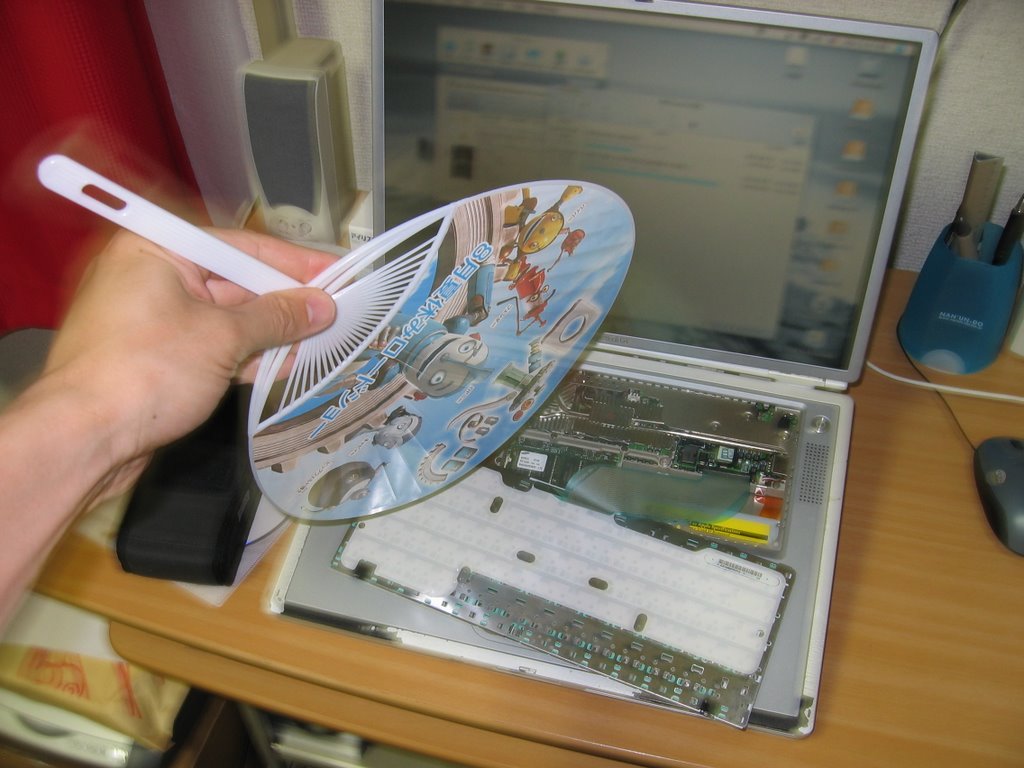
This is what happens when I run a video converter, bittorrent, and the internet at the same time. My poor laptop whines to stay cool. It's six and a half years old now and I'm proud of it. It may not be as fast as the new computers, but it's held its own.
Wednesday, April 05, 2006
Back it up!
I recently bought a portable USB 80GB drive cuz I got sick of burning multiple CD-RW's to back up my school files. I don't usually transport large files from work to home, so I'll mostly be using it to back up school stuff. I looked around and decided to try out Norton's Ghost 10 software. I've been really happy with it so far. Looks like it's doing a great job. I've got it scheduled to do my back ups at night. No more burning! Yahoo!
Once I had my PC set, I felt like I should have my Mac protected as well. I've been doing manual back ups with Retrospect Lame version... so, I looked around and bought a license for SuperDuper! This software works a little differently. It makes bootable clones of drives which I like because I'll have zero downtime if something goes wrong with my internal drive. The downside is that it doesn't make "check-points" for recovery like Norton Ghost. So I can't roll the system back a few weeks to an older configuration. I don't think that'll be much of an issue though.
Of course, I hope I'll never have to use any of this software in a dire situation. I've already lost one of my external drives connected to my Mac last year and was lucky enough to recover the majority of the data. Not again!!!
Now I just gotta get HJ set up and we'll be set.
Once I had my PC set, I felt like I should have my Mac protected as well. I've been doing manual back ups with Retrospect Lame version... so, I looked around and bought a license for SuperDuper! This software works a little differently. It makes bootable clones of drives which I like because I'll have zero downtime if something goes wrong with my internal drive. The downside is that it doesn't make "check-points" for recovery like Norton Ghost. So I can't roll the system back a few weeks to an older configuration. I don't think that'll be much of an issue though.
Of course, I hope I'll never have to use any of this software in a dire situation. I've already lost one of my external drives connected to my Mac last year and was lucky enough to recover the majority of the data. Not again!!!
Now I just gotta get HJ set up and we'll be set.
Stop lugging around that PC
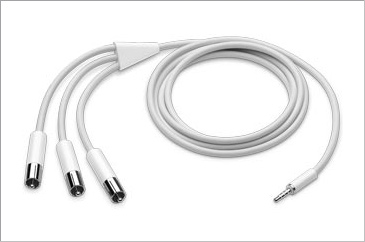 I'm sick of lugging around my PC to the LC to show PowerPoints to the students. I've been holding off buying a new iPod since I can't really justify getting a new one. I have a 3G iPod and it's holding up just fine after a new battery install a few months ago. But, I've been helping Doreen with her new 5G 30GB model and we've just figured out how to rename her slide files to insure the correct order of play from her iPod. Kind of a pain in the ass work around, but still very nice. All she'll need is an AV cable and she's off! Now I wanna get a new iPod and do the same thing! Wahh!
Tuesday, April 04, 2006
Bubbleshare Test
I just found out about this service that let's you upload images for free. Unlike other services though, you can add audio annotations to each image. I'm thinking of using this service in conjunciton with my classes here at KTC to get the students to record their voices. I'm hoping to implement this service into a podcast-like series.


